
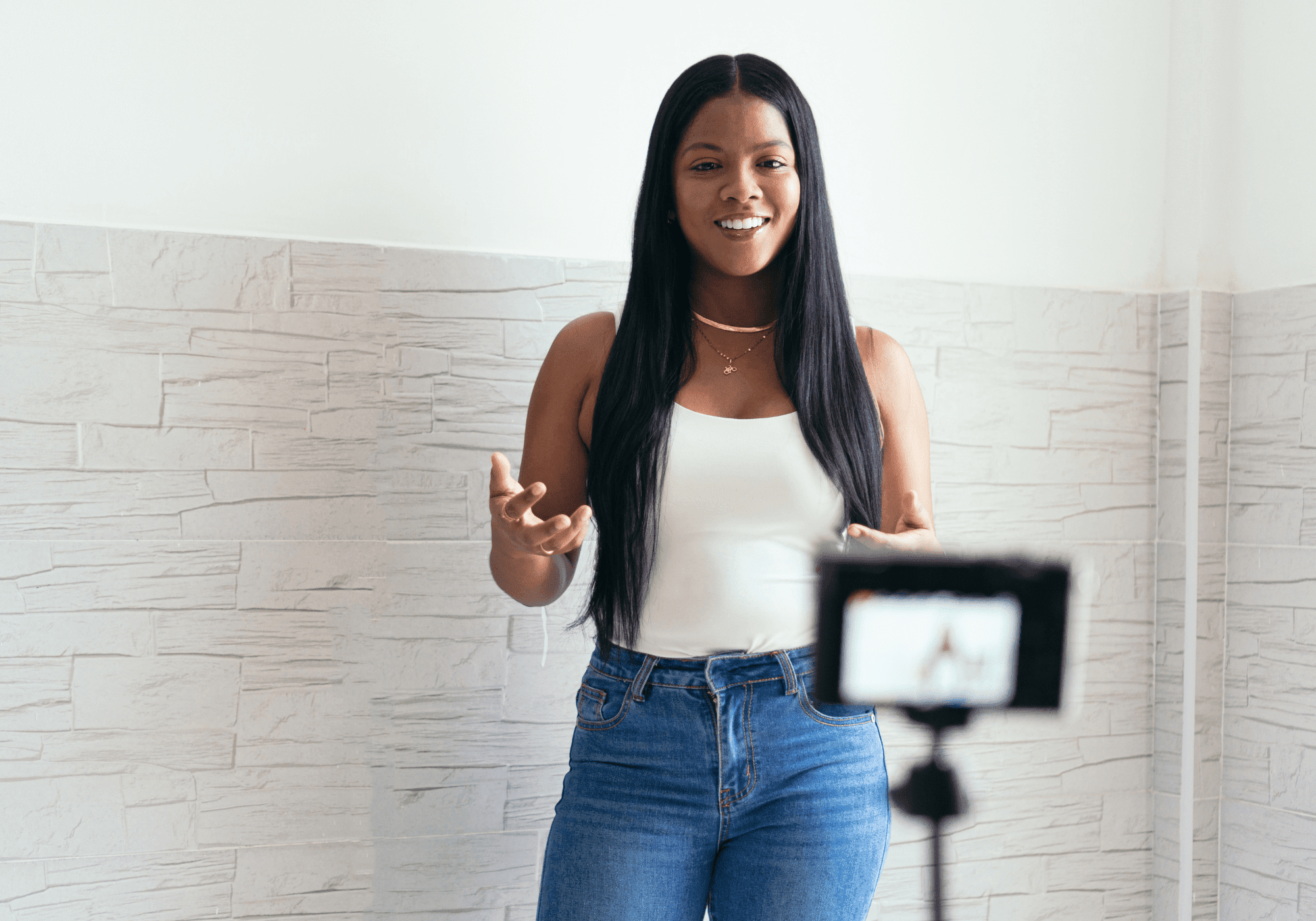
How to Make Your Sorority Recruitment Video
Your sorority recruitment video doesn't need to be cinematic. It just needs to show chapters the real you before they meet you in person. Here's how to do that.
Updated 7/9/2026
From our Sorority Recruitment Guide.
In this post: What to Say | How to Shoot | Mistakes to Avoid | FAQ
Most PNMs stress about their recruitment video more than any other part of registration, and that's understandable: being on camera is uncomfortable, and it feels high-stakes. But here's the reality: chapters are watching a huge volume of these, and they're not clocking every tiny detail. What they're looking for is a quick snapshot of who you are so they have context going into recruitment.
You don't need to be perfect. You need to be clear, specific, and yourself.
Remember Elle Woods's Harvard Law admission video? Of course, you do. It engaged you from the start and effectively showed off her smarts and goals. Elle's video was over-the-top for a real-world sorority recruitment video, but it shows how you can be the authentic you and still communicate your strengths. That's the goal.
Before you start, check your school's Panhellenic instructions carefully. They'll specify the prompts, time limit, file format, and how to name and submit your video. Following those instructions exactly is just as important as what you actually say (more on that below).
What Your Video Actually Needs
Your recruitment video has one job: give chapters a sense of who you are before they meet you. That's it.
What actually makes a video stand out is specific details that make you real and memorable. It's not "I love to work out." It's "I hit a million miles on my Hydrow in April" or "I'm training for a Spartan Race." Not "I love dogs." It's "I trained my Australian Shepherd to bring me his leash every morning when he wants to go out." Specific details stick. Generic facts blur together after the fifth video.
A PNM sent us a registration video to review that opened with a vague line about learning empathy after a car accident. The real detail, that she'd broken both legs and couldn't walk for three months, never actually made it into the video. Empathy is forgettable. Two broken legs are not. Lead with the fact, not just the lesson.
A few common missteps:
- Reading off a script instead of speaking naturally
- Rambling: keep it short and stay on message
- Bad lighting or a busy background
Keep it real, keep it simple, and aim for connection over perfection.
What to Say
Video submissions almost always come with prompts, so you're not starting from scratch. Here are the most common ones and how to handle them:
Introduce yourself / tell us about yourself
Start with your name, hometown, and what you're planning to study. Then add something specific that makes you memorable right from the start. Not "I'm from Miami and love to travel." Who doesn't? Try: "I'm from Miami and I've visited 18 national parks because my family road-trips every summer."
What were you involved with in high school / what are your hobbies?
This is a great place to edit in some media: shots of you playing a sport, on stage, debating, or whatever your thing is. Don't just tell them what you love; show them. A picture of a cupcake tower beats "I love to bake."
What are you planning to major in?
Major + what sparked it = memorable. "I'm majoring in political science because I grew up watching city council meetings with my grandma" lands better than just naming the major. Tell the story behind it.
Who's your hero?
Think carefully about this one. Does your answer sync up with the rest of your submission? Give a specific detail: "My hero is Malala Yousafzai. Her bravery and dedication to education, even in the face of danger, inspires me to advocate for girls' education rights."
What's your greatest accomplishment?
Don't worry if it wouldn't make the news. It's all in the telling. If you overcame a fear of water to learn to swim, that story shows vulnerability and perseverance, chapters will remember those qualities.
Tell us something that would surprise most people
This is your chance to be memorable with something that didn't fit anywhere else. "I've memorized the first 150 numbers of pi." "I'm the oldest of 12 children." "I'm a dual citizen." Back it up with a detail or story.
Why do you want to join a sorority?
This is a key question. Don't waste it on a generic answer like "so many new friends." Tie it to something real: "I admire how sororities lead charitable events. I've spent the last few years volunteering, organizing meal deliveries, running a school fundraiser, and I want to keep doing that kind of stuff while I'm in college."
How to Film It
Chapters aren't expecting anything fancy. They just want to see and hear you clearly. Get the basics right and you're ahead of a lot of people.
Lighting
Natural light is the most flattering. Sit facing a window and avoid overhead shadows. A ring light works, but try to avoid making it your only light source. And if you wear glasses, angle yourself to avoid reflections that hide your eyes.
Sound
A quiet room matters more than a cute location. If you have a mic, great. In any case, close the door, turn of notifications, kick out the cat, and turn off any fans or a/c.
Background
No makeup counter behind you. No piles of laundry. No distracting posters. Watch what's directly behind your head, too: a cute sign that only shows part of a word, or a plant that looks like it's growing out of your shoulder, both read as sloppy. Don't show a bed in the background, it's too intimate. And keep pets out of frame. A dog wandering into your video will steal the spotlight every time.
Clean and simple always looks more confident. A plain indoor space with nothing competing for attention works. No good spot inside? Go outside. A textured exterior wall or a park with some greenery behind you is enough.
The background isn't the point of the video. You are.
Your appearance
The goal is to look like yourself on your best day. Don't bother with professional hair and makeup unless that's your everyday look. Chapters want to meet the real you. At the same time, this isn't the time for a messy bun. Wear something you'd wear to a nice brunch or to whatever activity your video concept involves. No gum, no hats, nothing you'll tug at. Film a test clip before you start to make sure everything's in place.
Delivery
Write out what you want to say ahead of time, but don't memorize it word-for-word. You want to sound natural, not robotic. Shoot more takes than you think you need, at least five. The first couple will probably feel stiff, and that's normal. By takes three and four you'll find your pacing, and by five or six you'll sound like yourself instead of an actor reciting lines. If you're doing something with movement or props, plan it out. Keep the tone upbeat and smile. Imagine you're talking to friends.
One-take submissions
Some schools require your recruitment video to be shot in one take, no cuts, no editing. In that case, script every section ahead of time: your intro, your prompt responses, your close. Time each part and trim before you ever hit record. A teleprompter app helps you stay on track, but use bullet points instead of full sentences, so you don't sound like you're reading. Then shoot a lot of takes, not just to get comfortable, but to try different phrasing, different emphasis, different pacing. It will get better every time.
One more thing: if video production is genuinely one of your skills, use it. A well-made video that goes beyond a talking head can absolutely stand out. But if it's not your strong suit, be honest with yourself: an amateurish video won't reflect well on you. Simple and clear beats overreaching and shaky every time.
Mistakes to Avoid
These are the submission errors that trip people up after they've already done the hard work:
Skipping or changing the prompts
Your College Panhellenic gives you specific questions. If you skip a prompt or change it, your video may not be accepted. Answer what they ask.
Going over (or under) the time limit
Most PNMs get 60–90 seconds max. If you go significantly over or under, Panhellenic may reject the video and/or ask you to resubmit. Time yourself.
Wrong file format, file name, or upload method
Use the file type they specify, usually .mp4 or .mov. Name the file exactly the way they request. Upload it through the method they specify. Don't improvise on any of these.
Before you hit submit, slow down and check every technical requirement against your video.
FAQ
Can I use CapCut to edit?
Yes, as long as your school allows edited submissions. CapCut, iMovie, InShot, whatever you're comfortable with is fine. Keep edits simple: cuts, maybe a few photos or clips layered in. Skip the transitions, filters, and effects unless you're a pro.
Does adding music help or hurt?
Skip it, or keep it very quiet under your voice. Chapters need to hear you clearly, and background music risks covering your words or making the audio feel cluttered. If your prompts leave room for a montage-style clip (like showing your hobbies), light music under that section is fine, just don't let it compete with anything you're saying.
Can someone else be on camera with me?
Check your instructions. If there's no rule against it and it will genuinely add value, a quick appearance from your coach or whoever is ok. But the video is about you. Don't let anyone else take up more than a few seconds of screen time.
What if I don't like the prompts?
Answer them anyway. You don't get to swap in your own questions, and skipping or changing a prompt can get your video rejected outright. If a prompt feels boring, look for an angle that lets you slip in something specific and memorable.
Can I use a virtual background image?
Unless it helps you tell your story, don't use virtual backgrounds; they take away from the authentic feel you want. If you don't have a simple, clean background at home, go outside and use an exterior wall of a shop or a quiet spot in the park. If you're outside, though, check to make sure your sound is clear. You might need a mic.
Get specific, follow the rules, and let the real you come through.
Your video is just one part of a strong registration. For everything else you need, the Sorority Recruitment Guide has it all in one place.
More sorority advice:
→ Sorority Resumes
→ Recruitment-Ready Social Media
→ Sorority Recommendation Letters
And follow @maziandzo on TikTok for real talk about recruitment and sorority life.